
Best Free General MIDI SoundFonts in 2026 (And How to Use Them)
Have you ever downloaded a classic MIDI piano piece or a retro game soundtrack, only to hit play and hear something that sounds like a cheap greeting card from the 90s?
The problem isn't the MIDI file. The problem is the SoundFont.
MIDI files themselves don't contain actual audio; they are just "sheet music" for computers. The quality of the sound depends entirely on the "instrument" playing that sheet music. In 2026, while VST plugins are powerful, the lightweight and versatile SF2 (SoundFont 2) format remains the gold standard for MIDI hobbyists, gamers, and quick compositing.
In this guide, we rank the 5 best free General MIDI (GM) SoundFonts available in 2026 and show you exactly how to use them to make your music sound professional.
What is a General MIDI SoundFont?
General MIDI (GM) is an industry standard that dictates the order of instruments (e.g., Instrument #1 is always Acoustic Grand Piano, #30 is always Overdriven Guitar).
Most operating systems come with a default synthesizer (like the Microsoft GS Wavetable Synth) that is incredibly small and low-quality. It lacks depth, reverb, and realism.
A high-quality third-party SoundFont replaces these default sounds with high-resolution samples recorded from real instruments. Switching to a good SoundFont is like upgrading your band from plastic toys to a professional symphony orchestra.
The Top 5 Free SoundFonts of 2026
We tested dozens of libraries for balance, file size, and musicality. Here are the top 5 contenders that you can download for free right now.
1. FluidR3 GM (The All-Rounder)
- Size: ~141 MB
- Best For: Classical, Jazz, and general listening.
- Verdict: FluidR3 is a legend in the open-source community and often the default choice for Linux audio systems. It offers a perfect balance between file size and quality. The pianos are warm, the strings are lush, and the mixing is consistent. If you don't know which one to pick, start here. It is safe, reliable, and sounds vastly better than your system default.
> Download FluidR3 GM (Archive.org)
2. GeneralUser GS (The Balanced Masterpiece)
- Author: S. Christian Collins
- Size: ~30 MB
- Best For: Retro gaming, old-school MIDI playback.
- Verdict: Don't let the small file size fool you. GeneralUser GS is a masterclass in efficiency. The author spent years tweaking the volume balance and envelopes (ADSR) of every instrument. This means that even in complex orchestral pieces, every instrument sits perfectly in the mix without muddying the sound. It is incredibly snappy and responsive.
> Download GeneralUser GS (Archive.org)
3. Arachno SoundFont (Punchy & Modern)
- Author: Maxime Abbey
- Size: ~148 MB
- Best For: Rock, Electronic, Final Fantasy style OSTs.
- Verdict: Arachno is famous for its "punchiness." The drum kits, bass guitars, and synthesizers hit hard, making it ideal for modern genres or video game music. It has a distinct character that brings energy to otherwise flat-sounding MIDI files.
> Download Arachno SoundFont (Archive.org)
4. Timbres of Heaven (The Detail Monster)
- Author: Don Allen
- Size: ~399 MB
- Best For: Epic orchestral works, cinematic scores.
- Verdict: This is one of the largest and most comprehensive GM libraries available for free. It features extensive velocity layering, meaning a soft key press plays a different sample than a hard key press, adding immense realism. However, it requires more RAM and CPU power to run smoothly.
> Download Timbres of Heaven (Archive.org)
5. SGM-V2.01 (The Japanese Style)
- Size: ~235 MB
- Best For: J-Pop, RPG soundtracks, Touhou music.
- Verdict: A favorite in the Japanese MIDI community, SGM offers a bright, crisp sound profile. It excels at high-tempo tracks and has very distinct percussion sets that fit perfectly with anime or J-RPG style compositions.
> Download SGM-V2.01 (Archive.org)
How to Use These SoundFonts
Once you have your .sf2 file, how do you actually hear it? It depends on your workflow.
Method 1: The Easiest Way (Online Conversion)
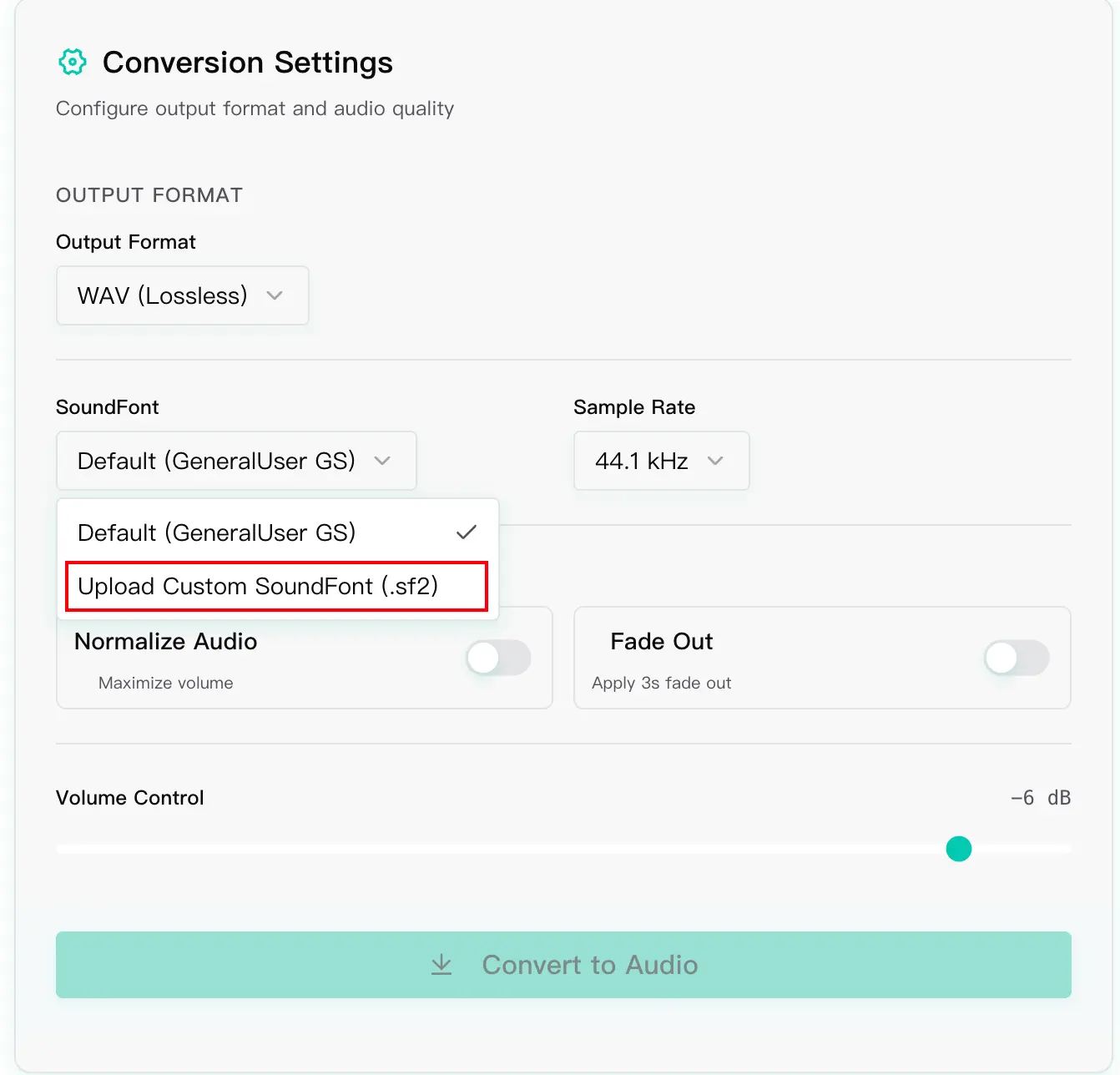
If you don't want to install complex driver software, or if you just want to turn a MIDI file into a high-quality MP3 to share with friends, use an online tool.
MIDI Toolbox has a high-performance rendering engine built-in that rivals desktop software.
- Navigate to our MIDI to MP3 Converter.
- Upload your
.midfile. - Our server utilizes high-quality sampling libraries (similar to FluidR3) to process your audio.
- Click convert and download. You get professional audio without configuring a single driver.
Method 2: For Desktop Listening (Windows/Mac)
To change your system-wide MIDI sound:
- Windows: Download VirtualMIDISynth. It installs a virtual driver that intercepts MIDI signals. Load your
.sf2file into its settings, and select it as your default MIDI output device. - Mac: Use a dedicated player like VLC (which supports SF2 loading in preferences) or a plugin host, as macOS CoreAudio handling of custom SoundFonts can be tricky in recent versions.
Method 3: For Music Production (DAW)
If you are using FL Studio, Ableton, or Logic:
- Download a free sampler plugin like Sforzando.
- Load the plugin onto a MIDI track.
- Drag and drop your
.sf2file into the plugin interface. - You can now compose using these high-quality sounds with zero latency.
Frequently Asked Questions (FAQ)
Q: Is bigger always better for SoundFonts? A: Not necessarily. While larger files (1GB+) contain more detailed samples, they take longer to load and use more RAM. For general playback and web use, the 100MB - 300MB range is the "sweet spot" for performance and quality.
Q: Why do some instruments sound wrong? A: Some older MIDI files were composed specifically for hardware like the Roland SC-55. When played on a different SoundFont, the balance might shift. You can use our Online MIDI Editor to tweak the volume or change the instrument of specific tracks to fix this.
Conclusion
MIDI technology has been around for over 40 years, but thanks to the SoundFont community, it never sounds old. Whether you are archiving retro classics or composing new ideas, the right SoundFont makes all the difference.
Ready to hear the difference immediately? Try uploading your files to our Online Player and experience high-fidelity Web MIDI playback now.