
From Digital to Printable: How to Convert MIDI Files into Sheet Music for Free (No Software Needed)
If you are a musician, piano student, or arranger, you’ve probably been in this situation: You find a perfect MIDI file of a song you want to learn, but you can’t practice it because you don’t read "piano roll" bars—you read sheet music.
MIDI (Musical Instrument Digital Interface) is an incredible format for computers, but for human performers, it’s often just a stream of data. For years, the solution to visualizing this data was painful. You had to buy expensive, heavy software like Sibelius or Finale, or struggle with complex open-source desktop tools just to print a simple page of notes.
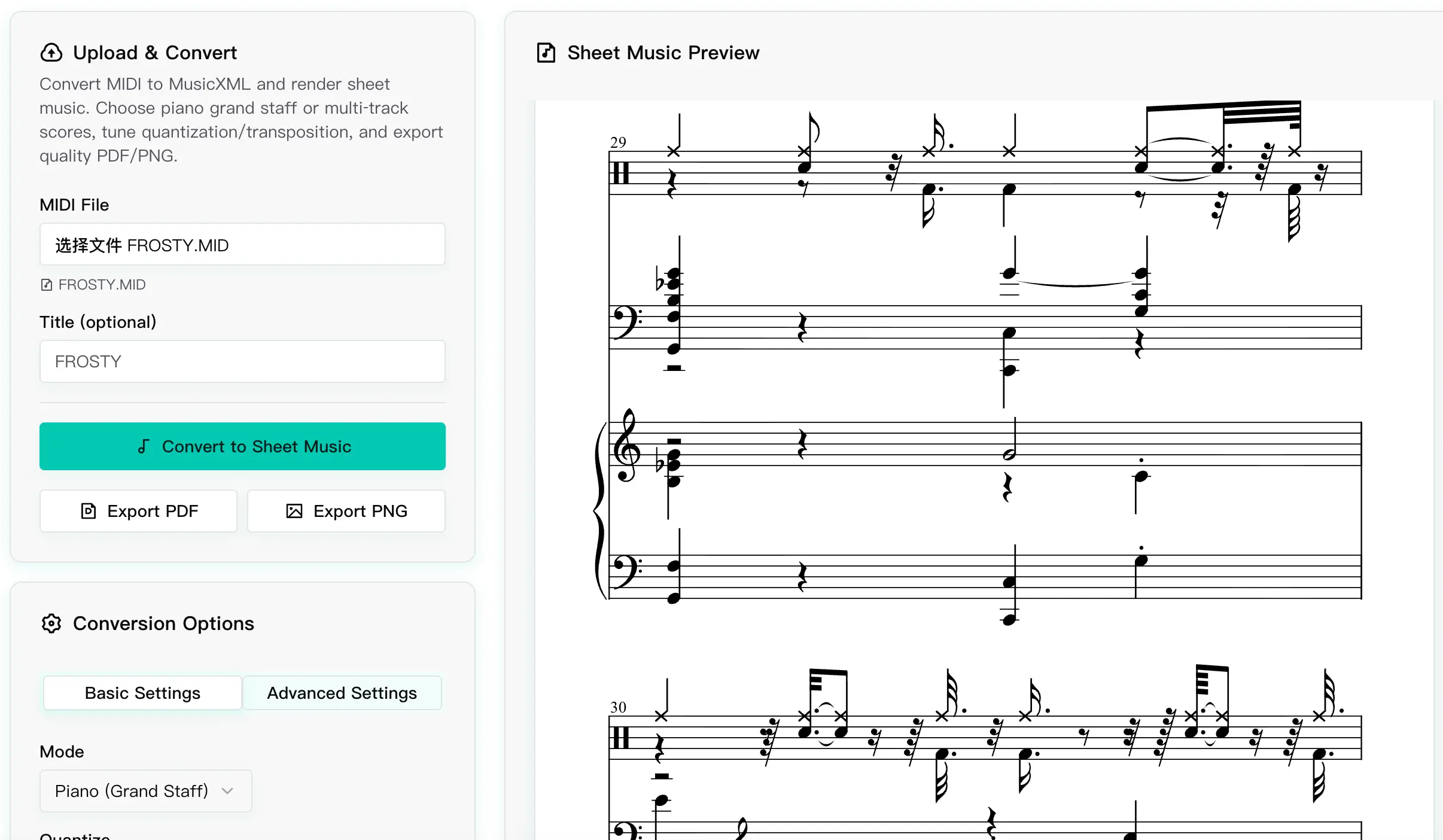
That’s why we built the Score Viewer at MIDI Toolbox. It is a dedicated tool designed to instantly turn any .mid file into clean, readable, and printable sheet music directly in your web browser.
In this comprehensive guide, I’ll walk you through how to get the best results, how to clean up "messy" MIDI files using quantization settings, and how to finally export your music to PDF for printing.
Why Online Conversion is Better
Before we jump into the "how-to," let's talk about why you should use a web-based tool for this task, and how we handle your files.
1. Zero Installation Required
Traditional notation software is notoriously heavy. It requires gigabytes of space and often takes minutes to load. MIDI Toolbox runs instantly in your browser (Chrome, Edge, Firefox, or Safari). Whether you are on a high-end PC, a MacBook, or even an iPad, you can view your score in seconds.
2. Privacy & Security: The "No-Retention" Promise
We understand that your compositions are valuable. To ensure the highest quality notation rendering, our tool processes your MIDI files using a powerful cloud engine that goes beyond what simple browser scripts can do.
However, we have a strict Ephemeral Processing Policy:
- Instant Deletion: Your file is uploaded solely for the purpose of conversion. Once the sheet music is generated and sent back to you, the original file is immediately and permanently deleted from our servers.
- No Storage: We do not archive, catalog, or share your uploaded MIDI files. Your music remains yours.
Step-by-Step: Converting MIDI to Sheet Music
Here is how to go from a raw digital file to a printed score in under 30 seconds.
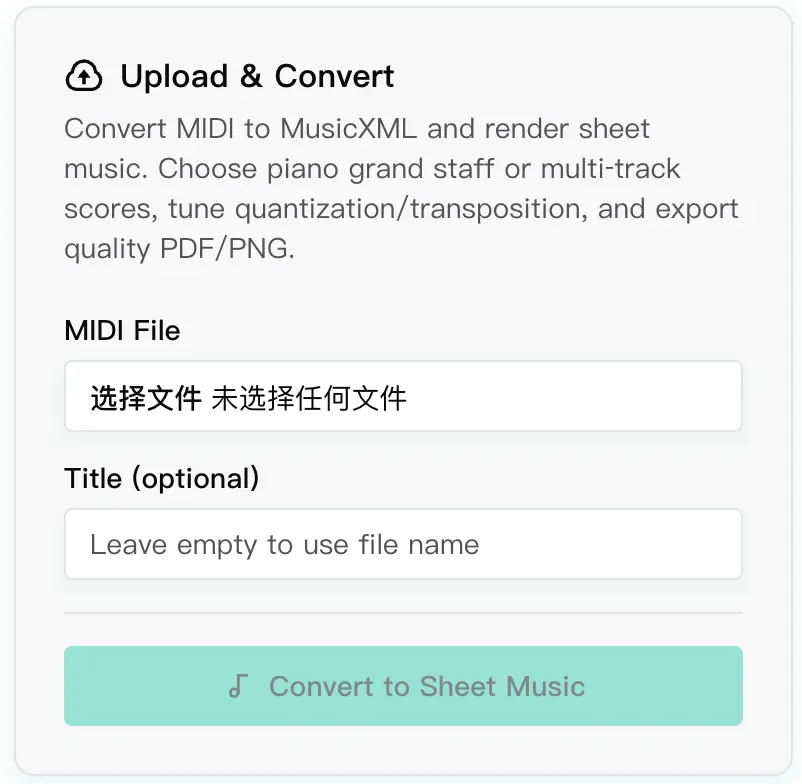
Step 1: Upload Your MIDI File
Navigate to the Score Viewer page. You will see a clean, distraction-free upload area. You can simply drag and drop your .mid or .midi file into the box, or click to select from your computer. We support both Standard MIDI File (SMF) Format 0 and Format 1.
Step 2: Understanding the Generated Score
Once the file loads, the engine immediately analyzes the tracks and renders them as a Grand Staff (Treble and Bass clefs), which is perfect for piano music.
By default, the tool attempts to guess the best layout. However, MIDI files are often "raw" performance data. If the MIDI was recorded by a human playing a keyboard rather than programmed by a mouse, the timing might be slightly off (e.g., a note played 0.01 seconds late).
This can result in the sheet music looking "messy," full of unnecessary 32nd notes or weird rests. This brings us to the most critical step: Quantization.
Step 3: Clean Up the Notes (Quantization)
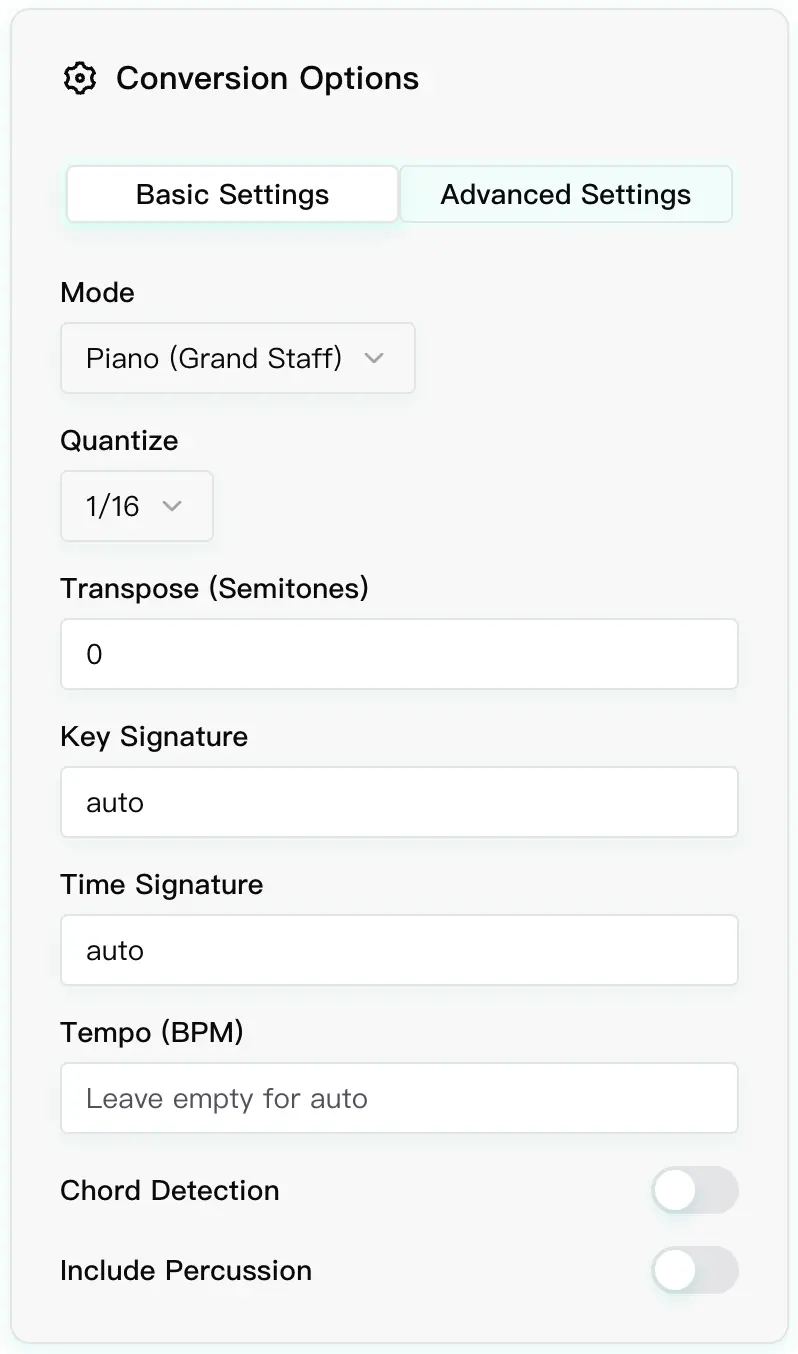
Look at the Conversion Options panel on the left side of the screen. These settings allow you to interpret the raw MIDI data into human-readable notation.
- Quantization (The "Snap" Feature): This setting "snaps" the notes to the nearest beat grid. If your score looks cluttered with too many fast notes, try changing the Quantization value to 1/8 (Eighth notes) or 1/4 (Quarter notes). You will see the sheet music clean up instantly as the algorithm simplifies the rhythm.
- Key Signature: MIDI files don't always contain Key Signature metadata. If you know the song is in G Major (one sharp) but the score is showing C Major with accidentals on every F note, simply select G Major from the dropdown. This makes the score much easier to sight-read.
Step 4: Visual Check and Review
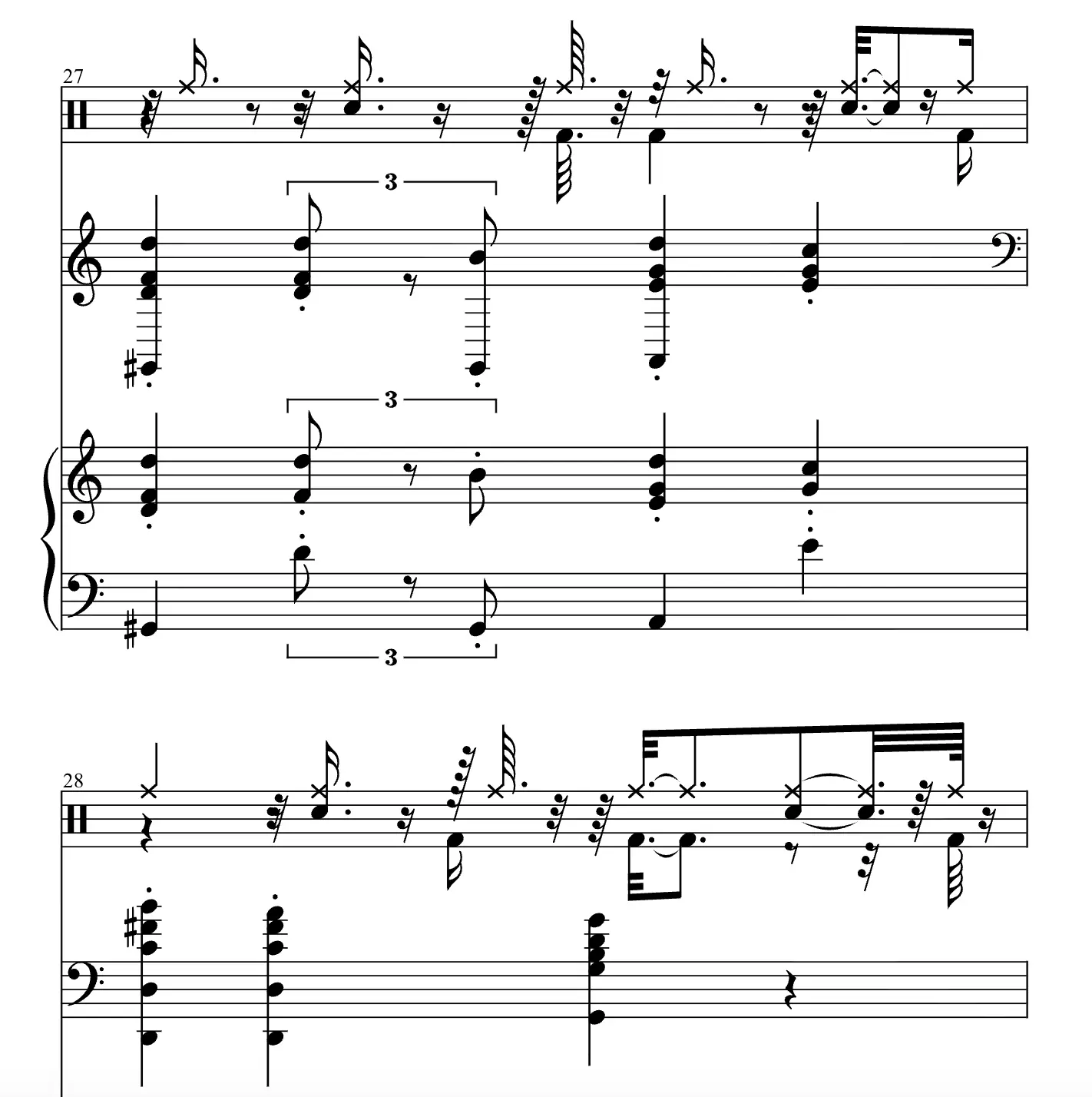
Scroll through the generated score. Our rendering engine automatically handles:
- Clef distribution: Splitting notes between the left hand (Bass Clef) and right hand (Treble Clef).
- Beaming: Grouping notes together logically based on the time signature.
- Responsive Layout: The music scales to fit your screen width, making it easy to read on tablets.
Step 5: Export to PDF or PNG
Once you are happy with how the notes look, it’s time to take it offline for practice. At the top of the viewer, you will find the Export buttons.
- Export as PDF: This is the best option for printing. It generates a high-quality vector file that stays sharp on any paper size (A4 or Letter).
- Export as PNG: Use this if you want to share a snippet of the music on social media or insert it into a Word document or presentation.

Troubleshooting Common MIDI Issues
Sometimes, a MIDI file just refuses to look "right." Here are a few pro-tips to fix common display issues:
1. "The notes are all bunched up!" Check the BPM and Time Signature. If the MIDI file is missing this meta-data, the viewer might default to 120 BPM. Adjusting the time signature in the settings can often redistribute the measures correctly.
2. "I only see one long track, not left/right hands." Some MIDI files save everything on "Channel 1". Our analyzer tries to split them based on pitch (Middle C), but if the tracks are merged deeply in the source file, the result might be a single staff. In this case, you might want to use our MIDI Editor first to separate the hands into different tracks before viewing the score.
3. "The rhythm looks overly complex." This is almost always a quantization issue. Increase the quantization level (e.g., from 1/16 to 1/8). Remember, sheet music is often a "simplified" representation of a performance. You don't need to see every microscopic variation in timing.
Conclusion
Turning MIDI into sheet music shouldn't be a technical headache or require a credit card. Whether you are archiving your own improvisations, teaching a student, or trying to learn a classic piece from a MIDI file found online, the MIDI Toolbox Score Viewer is the fastest way to get the job done.
Ready to visualize your music?