
🛡️ Privacy by Design: A Deep Dive into MIDI Toolbox’s Architecture (And Why We Don't Keep Your Files)
🛡️ Privacy by Design: A Deep Dive into MIDI Toolbox’s Architecture (And Why We Don't Keep Your Files)
Meta Description: How safe is your music data? We break down MIDI Toolbox's architecture: why our Player runs 100% locally, how our Score Converter handles privacy, and why your files are never stored on our servers.
URL Slug Recommendation:
/blog/privacy-architecture-and-data-security
For musicians, composers, and producers, MIDI files aren't just data—they are Intellectual Property. Whether it's a draft of your next hit song or a private practice session, you have every right to ask: "When I use MIDI Toolbox, where does my file go?"
In an era where "Cloud First" is the default, we made a conscious decision to build "Privacy First" tools.
To earn your trust, we believe in Radical Transparency. In this deep dive, we will explain exactly how our technology works, the difference between our Local Tools and Cloud Tools, and why we physically cannot "steal" your music even if we wanted to.
1. The Core Philosophy: "Client-Side" Processing 💻
For 90% of our features—including the Player, Editor, and Audio Converter—MIDI Toolbox utilizes a "Client-Side" architecture.
How It Works (The Technical Breakdown)
When you drag a MIDI file into our Player or Editor, the following chain of events happens:
- Browser Sandboxing: Your web browser (Chrome, Edge, etc.) creates a secure, isolated environment known as a "Sandbox."
- Memory Loading: Our code reads your file into your device's RAM (Random Access Memory) as an
ArrayBuffer. - Local Synthesis: We use the Web Audio API and libraries like Tone.js to generate sound directly through your computer's sound card.
Crucially, during this entire process, your MIDI file never travels over the internet. It is no different from opening a text file in Notepad on your computer. The processing power comes from your CPU, not our servers.

2. The Exception: The "Score" Visualizer (And How We Secure It) 🎼
We value honesty. There is one specific feature on our site that requires server-side processing: The MIDI to Score (Sheet Music) Converter.
Why? Because converting raw MIDI data into readable, beautiful sheet music (MusicXML/PDF) requires complex rendering engines that are currently too heavy to run efficiently in a web browser.
The "Ephemeral Processing" Protocol
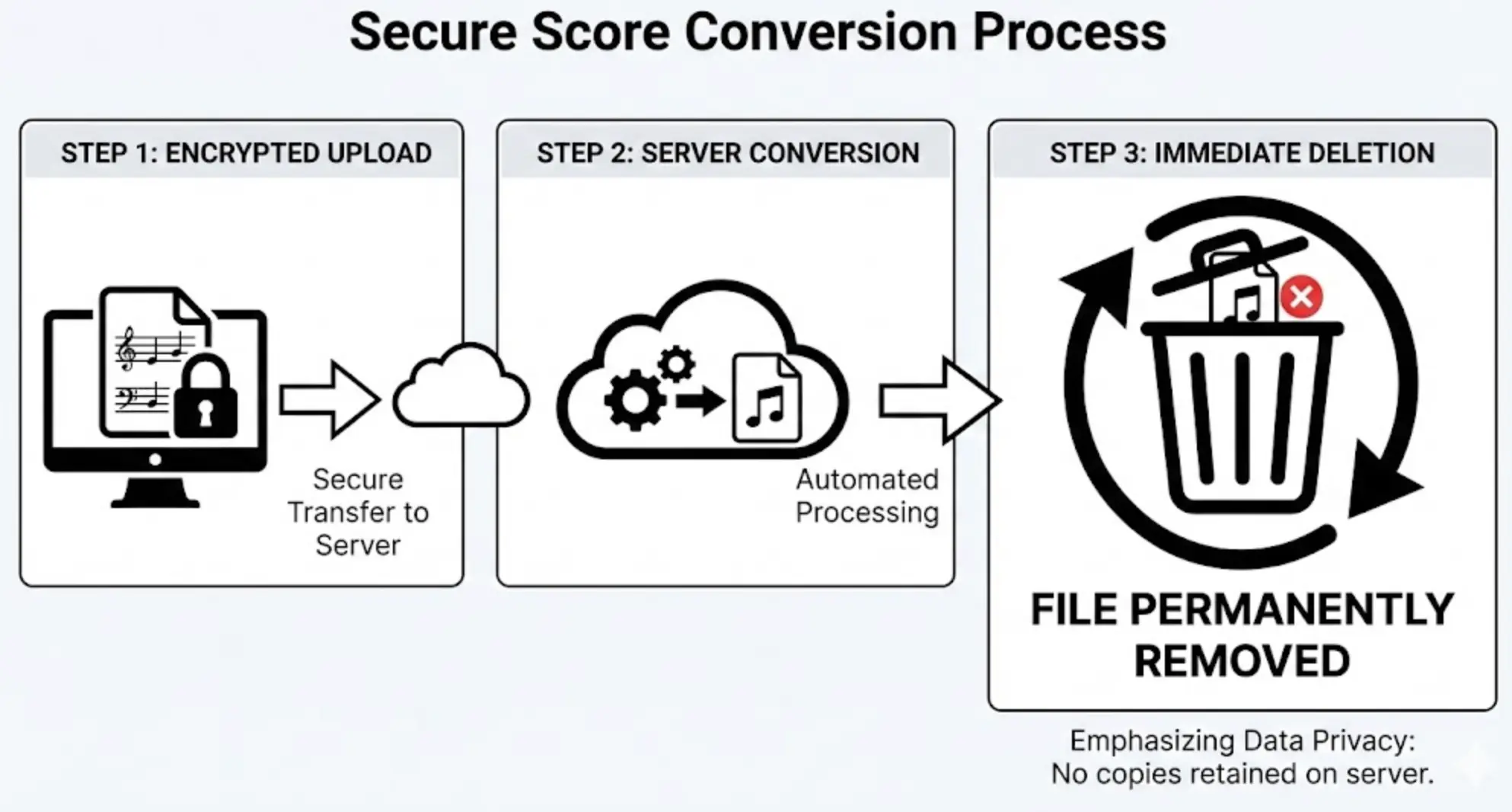
When you use the Score page, we employ a strict security protocol called Ephemeral Processing. Here is the lifecycle of your data on that page:
- Secure Upload (TLS 1.3): Your file is transmitted via an encrypted SSL tunnel (HTTPS).
- Instant Conversion: Our server receives the file into a Temporary Memory Buffer. It is processed immediately by the sheet music engine.
- The "Fire and Forget" Policy: Once the sheet music is generated and sent back to your screen, the original file and the result are immediately deleted from our server's RAM.
We do not have a database for file storage. We do not have "user folders" on our server. Once the transaction is done, the data ceases to exist on our end.
3. Why "Local" is also "Faster" (The Performance Benefit) ⚡
Privacy isn't the only reason we chose this architecture. It is also about Performance.
In traditional "Cloud Converters," you face the Latency Loop:
Upload (Wait) -> Server Queue (Wait) -> Processing (Wait) -> Download (Wait)
By processing locally, MIDI Toolbox achieves Zero-Latency parsing.
- AudioWorklet Technology: We utilize the browser's
AudioWorkletto run audio processing on a separate CPU thread. This means even if you are playing a "Black MIDI" file with 10,000 notes, your interface won't freeze, and the audio won't glitch. - Instant Feedback: When you move a note in the Editor, you hear it instantly. There is no round-trip to a server to "re-render" the audio.
4. The "Offline" Proof (Airplane Mode Test) ✈️
The best way to verify our claims is to test them yourself. We invite all users to try the "Airplane Mode Test":
- Load the MIDI Player.
- Once the interface appears, disconnect your internet.
- Load a MIDI file and play it.
It will work perfectly.
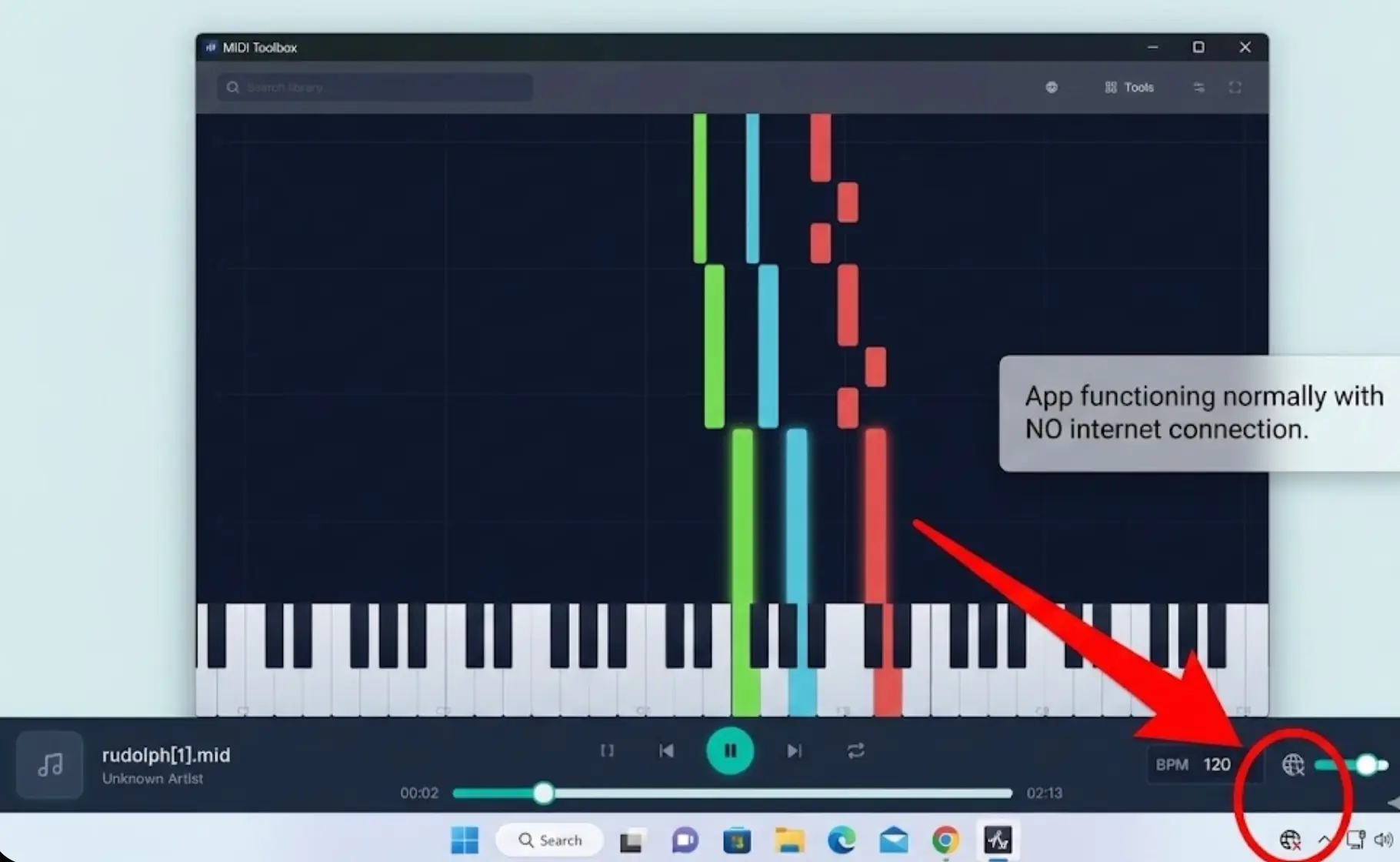
This is because our sound engines and SoundFonts are cached in your browser (for up to one year via our immutable caching strategy). MIDI Toolbox essentially becomes a desktop app running inside your browser. You can practice in a basement, on a plane, or in a studio with poor Wi-Fi, and your data stays safe on your machine.
5. Controlling Your History (IndexedDB) 💾
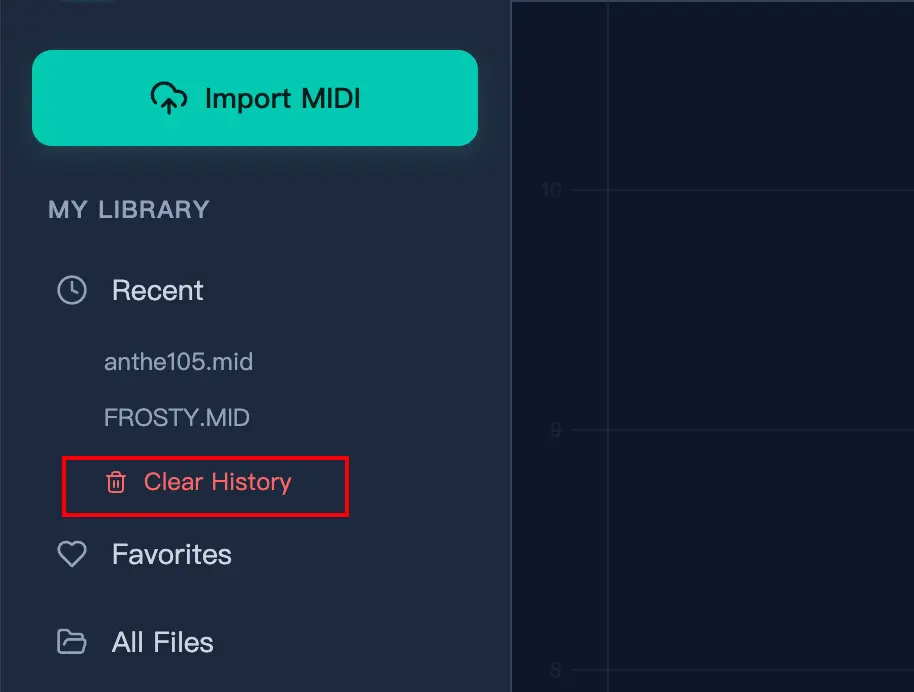
You may notice a "History" list of your recently opened files. If we don't store files on a server, how do we show this list?
We use a browser-native database called IndexedDB.
- Your Data, Your Device: This database lives inside your browser profile on your hard drive.
- No External Access: We (the website owners) cannot access your IndexedDB remotely.
- Full Control: You can clear this history at any time by clicking the "Clear History" button or clearing your browser cache.
Conclusion: Trust Through Architecture
We didn't build MIDI Toolbox this way because it was easy. Building a full DAW-like engine in JavaScript is hard. We built it this way because we believe your creative tools shouldn't spy on you.
Whether you are editing locally or generating sheet music via our secure ephemeral server, your privacy is hard-coded into our architecture.
Create freely. We've got your back.